





A luminaire can deliver plenty of lux and still be unpleasant to work under. When the source itself is visible at high luminance, workers squint, turn their heads away, and lose contrast on the task. The Unified Glare Rating, UGR, is the standard metric used to keep that effect under control in indoor lighting design.
What UGR Measures
UGR is a dimensionless index that predicts discomfort glare for a standardized observer in a room. It combines the luminance of each luminaire in the field of view, the background luminance of the room, and the solid angle each source occupies. Values run roughly from 10, meaning almost no perceived glare, to above 30, meaning clearly uncomfortable. The scale is logarithmic: a UGR of 22 is not slightly but meaningfully more glaring than 19.
How the Value Is Computed
The UGR formula is set by the CIE and tabulated by luminaire makers. For a given room geometry and reflectance set, each luminaire contributes according to its luminance toward the observer, its apparent size, and its position relative to the line of sight. Design software evaluates the formula on a grid of observer positions and reports the maximum UGR of the layout. Because the result depends on the room, the same luminaire can meet a limit in a large hall and fail in a small office.
Typical Limits by Application
| Application | Common UGR limit | Rationale |
|---|---|---|
| Drafting and fine assembly | 16 to 19 | High visual precision, long duration |
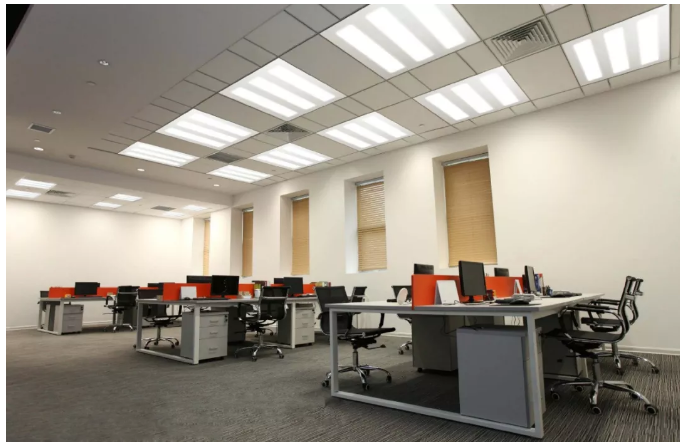
| Offices and control rooms | 19 | Screen work standard |
| Industrial halls, machine shops | 22 to 25 | Movement and safety dominant |
| Warehouses, storage | 25 to 28 | Orientation tasks only |
The limit is written into many national workplace lighting codes, so verifying UGR is part of compliance, not only comfort.
Practical Ways to Lower UGR
Choose luminaires with lower peak luminance in the directions people actually look from; low-UGR troffers and deep-recessed optics exist for this reason. Increase the number of luminaires while lowering the output of each, since several small sources beat one brilliant one. Raise wall and ceiling reflectance, which brightens the background and reduces contrast. Position high-output fixtures outside the frequent lines of sight, for example above aisles rather than facing down them. Shielding and louvers help, but geometry usually helps more.
Measuring and Verifying
UGR is calculated, not directly measured with a lux meter; verification means recomputing the layout with the actual photometric files and room parameters. Ask for the UGR table at stated room dimensions and reflectances rather than a single headline number. On retrofit projects, recalculate after any change in mounting height, because a fixture lowered below the sight line can jump the rating even at equal illuminance. When comparing two luminaire options for the same room, run both through the same observer grid with the same reflectances, since values computed under different assumptions are not comparable. Keep the calculation files with the project records so that a future inspector can reproduce the result rather than argue about it.
Key Takeaways
UGR predicts discomfort glare from the whole installed layout, weighted by source luminance, size and position against the room background. Limits run from 19 for office work to 28 for warehouse tasks and appear in workplace codes. Layout changes such as more, smaller luminaires, brighter room surfaces and careful positioning often reduce UGR faster than changing the fixture itself.
Related reading
Comfort also depends on light stability: Flicker in LED Lighting: Percent Flicker and IEEE 1789.
More application-level guides in the Lighting QA archive.
