




Dimming a LED fixture is not one problem but two: how the command travels from a control to a driver, and how the driver changes the light. Analogue control moves a voltage or a current. Digital control moves a number. Pulse width modulation never changes the current at all, only its average. Each approach behaves differently when the signal is lost, when the load is small, and when the fixture is a horticultural or architectural product where colour has to hold still.
0-10V: Simple, and Full of Edge Cases
The classic analogue interface carries two wires, and the control line voltage between 10V and 0V maps to full output and off. It works, it is cheap, and it survives on buildings where electricians already ran a low-voltage cable. The edge cases are real. The control line draws a small current from the driver, so long runs need a separate power supply for the controls, and cable voltage drop shifts the whole curve. Dimming below about 5 percent puts most drivers into a band where output noise rises. And a disconnection usually means full output, which surprises anyone expecting a safe state.
DALI: A Bus With an Address
DALI moved the same idea onto a two-wire bus that carries a defined digital telegram. Each short-addressable fixture takes its own address, so a room with twenty downlights can be addressed individually, grouped into scenes, and reported back when a ballast reports a fault. DALI 2 added the backward-facing features that make commissioning realistic: device type detection, reset, and a query for the actual level. Power for the bus comes from the control input of the driver, so one cable handles both signal and supply. The trade-off is a control transformer, a shortlist of compatible drivers, and more commissioning time.
| Interface | Signal | Addressing | Lost signal state | Minimum practical level |
|---|---|---|---|---|
| 0-10V | analogue voltage | group only | usually full output | around 5 to 10 percent |
| DALI / DALI 2 | digital telegram | per device | last level, or failsafe scene | under 1 percent |
| PWM | duty cycle of a pulse | pair with a controller | depends on the source | very low, with frequency limits |
| 1-10V with slew | analogue voltage | group only | full output | around 1 percent with slope |
PWM and Colour Stability
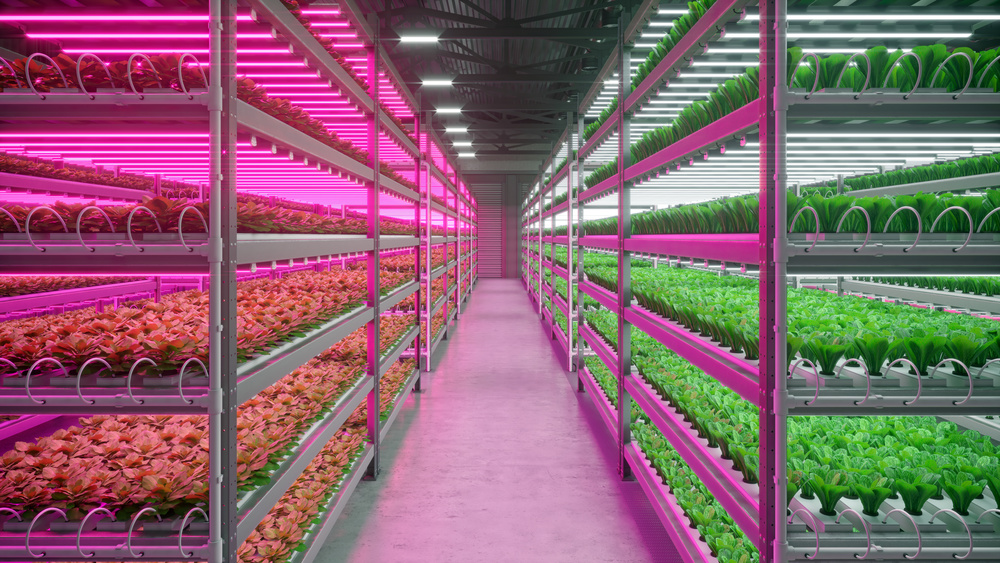
Pulse width modulation keeps the LED current at its rated value and switches it on and off at a fixed frequency. Because the current never drops, the chip runs at the same junction temperature band and the emitted spectrum stays put. That stability is why spectral-sensitive applications such as horticultural lighting and retail use PWM rather than analogue reduction. The cost is flicker and audio noise. Frequency has to sit high enough that cameras and people do not see it: above about 1kHz is a reasonable floor for camera work, and anything near 200Hz to 800Hz can produce visible banding on a sensor or a whine from the inductor.
Which Failure Is Safe
Specify by asking what happens at the boundary, not at the centre. If the control wire breaks in a corridor, do you want that run to fail bright or fail dark? If a DALI bus loses power, does the fixture hold its last scene or return to a default? Analogue systems generally fail bright, which is acceptable for safety lighting and unacceptable for a server room. Digital systems can hold state, which makes them better for occupancy-based savings. Write the failsafe condition into the commissioning sheet, because it is the part most likely to be argued about at handover.
Key Takeaways
Is 0-10V enough for one room? Yes, if the run is short and the lowest level you need is around 10 percent.
When does DALI pay for itself? When fixtures need individual addressing, fault reporting, or per-fixture scenes.
Why prefer PWM in grow light? Because constant current keeps the spectrum identical, and growers measure spectrum, not just brightness.
What is the usual flicker limit? Above roughly 1kHz for camera environments, and always check the driver datasheet rather than the fixture marketing.
Related reading
- how Korea funds DALI-2 and Matter grow light installations
- practical lighting Q&A and selection notes
